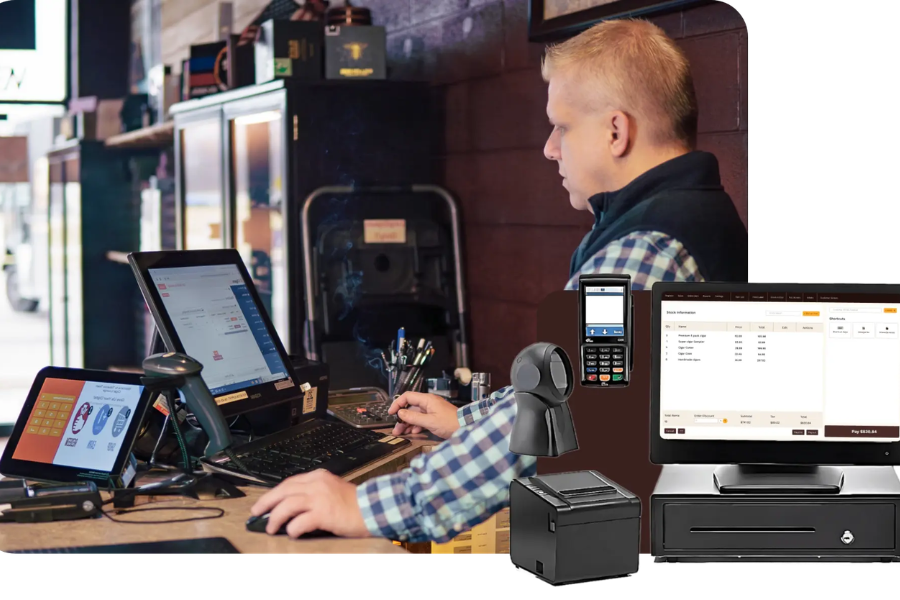
Choosing the right NetSuite BigCommerce Connector can save time, cut manual work, and keep your store data accurate across every channel. For many retailers, syncing orders, customers, and inventory between BigCommerce and NetSuite turns what used to take hours into a simple, automated flow. In this GritGlobal’s guide, we’ll look at what this connector really does, why it is important, and which options fit your business best.
Highlights
- The right NetSuite BigCommerce Connector keeps your store, inventory, and accounting data perfectly aligned in real time, saving hours of manual work every week.
- Retailers using automated connectors see faster order fulfillment, fewer errors, and improved financial accuracy across every channel.
What Is a NetSuite BigCommerce Connector?
A NetSuite BigCommerce Connector links your eCommerce storefront with your ERP system to keep operations running in sync. It helps your store talk to NetSuite in real time, keeping product, order, and customer data aligned on both sides.
Most connectors include two-way sync, product mapping, and automated inventory updates. Orders made on BigCommerce instantly appear in NetSuite, while stock changes in NetSuite reflect back to the online store. In simple terms, better planning and visibility can help companies cut total inventory by about 20 to 30%. This shows how useful real-time sync can be for managing stock more efficiently.
This link makes order fulfillment faster and accounting more accurate. Instead of handling spreadsheets or uploading data, everything flows automatically between the two systems. A Forrester study found that automating order entry can bring the average processing time down from 8 minutes to just 3 minutes per order, while also lowering entry errors by around 80%.
Unlike standard APIs that need manual setup, a plug-and-play connector already includes pre-built automated workflows. That means less coding, fewer errors, and quicker deployment.
Why Integrating NetSuite and BigCommerce Is Important
NetSuite acts as the financial and operational backbone, while BigCommerce powers your storefront and customer experience. With online shopping now making up about 16.3% of all U.S. retail sales in the second quarter of 2025, even small gaps between systems can affect both customer satisfaction and cash flow.
When they work separately, simple tasks like updating stock or processing refunds can turn into bottlenecks. Over the past two years, around 73% of companies have adjusted their supply chain networks to become more resilient, showing just how important clean, connected data between commerce and ERP systems has become.
BigCommerce NetSuite Integration brings those worlds together. It removes double entry, prevents data mismatches, and lets your team focus on customers instead of admin work.
Common data flows include inventory levels, order details, payment statuses, shipping updates, and customer records. For example, if a shopper updates their address in BigCommerce, that detail automatically syncs to NetSuite, keeping records clean for future transactions.
Brands that connect the two often see faster fulfillment, fewer shipping errors, and more reliable reporting. It’s a quiet upgrade that changes how the whole operation runs day to day.
Comparing the Best NetSuite–BigCommerce Connector Options
Finding the right connector depends on how complex your workflows are and how much control you need. Let’s break down the main options used by retailers today.
1. Native NetSuite Connector
Oracle provides a built-in connector for BigCommerce that covers the basics well. It supports syncing orders, inventory, products, and refunds, which is often enough for smaller stores or those just starting out.
Setup is simple, and it stays secure within the NetSuite ecosystem. You can get it running quickly without hiring extra developers or buying separate middleware.
That said, it has a few limits. Customer data doesn’t sync back from NetSuite to BigCommerce, which can cause gaps in buyer records. Mapping fields is also quite rigid, leaving less room to tailor data the way your business may need.
For teams who want plug-and-play reliability and can work within default settings, this option is stable and easy to maintain. But if your business needs flexible automation or deep customer insights, you might soon outgrow it.
2. Third-Party iPaaS Platforms
Integration-platform-as-a-service tools like Celigo, Boomi, and APPSeCONNECT are popular among mid-size and large retailers. These connectors provide real-time, bi-directional sync between BigCommerce and NetSuite.
Their dashboards make it easier to track sync logs and spot issues early. Many also include templates for multi-channel setups, helping businesses sell on BigCommerce, Amazon, and other marketplaces at once.
These tools work best for companies processing high order volumes or managing several warehouses. They give scalability, strong monitoring, and customization through drag-and-drop workflows.
The trade-off is cost and complexity. Subscription fees run higher, and setup might need technical support to align data flows correctly. Still, for enterprises aiming to unify multiple systems, iPaaS platforms often prove worth the investment.
3. Custom API Integration
Some brands prefer to build their own NetSuite BigCommerce Connector from the ground up using SuiteScript, RESTlets, or middleware. It’s a longer road but gives total control over every data rule, trigger, and mapping logic.
Custom integrations make sense when you have unique workflows. Maybe your order process includes custom statuses or you manage separate pricing for B2B customers. Tailored APIs can handle those details perfectly.
The main advantage is flexibility. You decide what syncs, when it syncs, and how it looks inside NetSuite. The downside is time and upfront development cost. It usually takes longer to deploy and requires ongoing maintenance when either platform updates its BigCommerce API.
For growing merchants who want something truly personalized, this approach brings unmatched control. But it’s best suited to teams with technical expertise or partners who understand both systems deeply.
4. Atom8 Connector by GritGlobal
Among third-party options, the Atom8 Connector, BigCommerce Automation, by GritGlobal stands out for BigCommerce users who value automation and flexibility without heavy coding.
Atom8 comes with pre-built workflows that automatically sync orders, inventory, and customer details between BigCommerce and NetSuite. It can also tag customers based on purchase behavior or automate restock alerts, helping stores stay proactive.
Beyond syncing data, Atom8 supports BigCommerce Klaviyo Integrations and connects with reporting tools like Google Sheets. That means teams can run campaigns, update dashboards, and manage fulfillment from one connected system.
For instance, when a new order hits a certain value, Atom8 can notify staff in Slack, update stock, and push that order into NetSuite, all within seconds. This kind of automation keeps daily operations consistent without manual checks.
Merchants using Atom8 often highlight how it balances simplicity and customization. It’s fast to implement, yet flexible enough to tailor workflows that match each store’s structure.
Key Benefits of Using a NetSuite BigCommerce Connector
A well-built NetSuite BigCommerce Connector doesn’t just sync data, it changes how your business runs. Here’s what you gain once everything works together:
- Real-time inventory updates: Every sale instantly adjusts stock in both systems, cutting the risk of overselling or backorders.
- Unified customer data: Every buyer’s history stays synced, helping sales and support teams deliver more personal service.
- Automated financial sync: Orders and invoices appear in NetSuite automatically, cutting down reconciliation time at month-end.
- Faster fulfillment: Connected systems help warehouse teams ship faster since they always have current data.
- Consistent multi-channel accuracy: Whether orders come from your online store or wholesale accounts, information flows smoothly to the same ERP.
- Scalability: Once automated, operations can expand without adding manual effort or new staff.
Retailers that automate through a connector often report saving hours each week. It’s the small efficiencies, accurate stock levels, quick invoice posting, fewer returns, that build long-term growth.
Factors to Consider Before Choosing Your Connector
Picking the best NetSuite BigCommerce Connector depends on more than features. Think about how your store operates today and where it’s heading next.
- Business size and order volume
A startup might only need a basic sync for products and orders, while an enterprise could need advanced mapping for hundreds of SKUs. Look for connectors that scale with you, not ones that hit limits as your traffic grows.
- Level of customization
If your store has complex pricing, custom fields, or B2B workflows, flexibility matters. Tools like Atom8 or Celigo handle conditional rules better than rigid native setups.
- Budget and timeline
Native connectors are usually cheaper upfront, while third-party or custom builds cost more but save time later. Weigh initial setup cost against long-term maintenance.
- Technical support and maintenance
Even the best integrations can break when platforms update their APIs. Check whether your vendor provides fast troubleshooting and dedicated support.
- Data security
Since customer and payment data pass between systems, compliance and encryption are must-haves. Reputable connectors follow strict data-handling policies to protect information end to end.
FAQs: NetSuite BigCommerce Connector
1. What does a NetSuite BigCommerce Connector do?
It connects your BigCommerce store with your NetSuite ERP, syncing data like orders, products, inventory, pricing, and customers automatically. This removes manual entry and lowers human error across systems.
2. Is the native NetSuite connector enough for BigCommerce integration?
It works well for small stores but lacks advanced customization. Businesses needing customer sync, conditional workflows, or data mapping flexibility often move to third-party or custom connectors.
3. How do third-party connectors like Celigo or Atom8 improve integration?
They allow two-way, real-time syncing and can manage complex workflows. Atom8, for example, can tag VIP customers, trigger restock alerts, or send data to analytics tools instantly.
4. Can I customize my NetSuite BigCommerce integration?
Yes. You can build a custom API using SuiteScript, RESTlets, or automation platforms. This approach gives full control over logic, triggers, and mapping.
5. How do I choose the right NetSuite BigCommerce Connector for my business?
Match it to your store’s size, data volume, and workflow complexity. Small retailers often start with the native option, while mid-sized and enterprise brands prefer Celigo, Boomi, or Atom8 for automation and scale.
Final Thoughts
A reliable NetSuite BigCommerce Connector isn’t just a technical upgrade, it’s a business enabler. It brings your eCommerce and ERP together, cuts manual work, and lets teams focus on growth instead of data entry.
Among the choices, Atom8 by GritGlobal strikes a practical balance between automation and flexibility. It gives BigCommerce merchants the speed of pre-built workflows with the customization of a tailored setup. If you’re ready to connect your store and simplify daily operations, contact us at GritGlobal. Their team can guide you toward an integration path that fits your scale, budget, and goals.